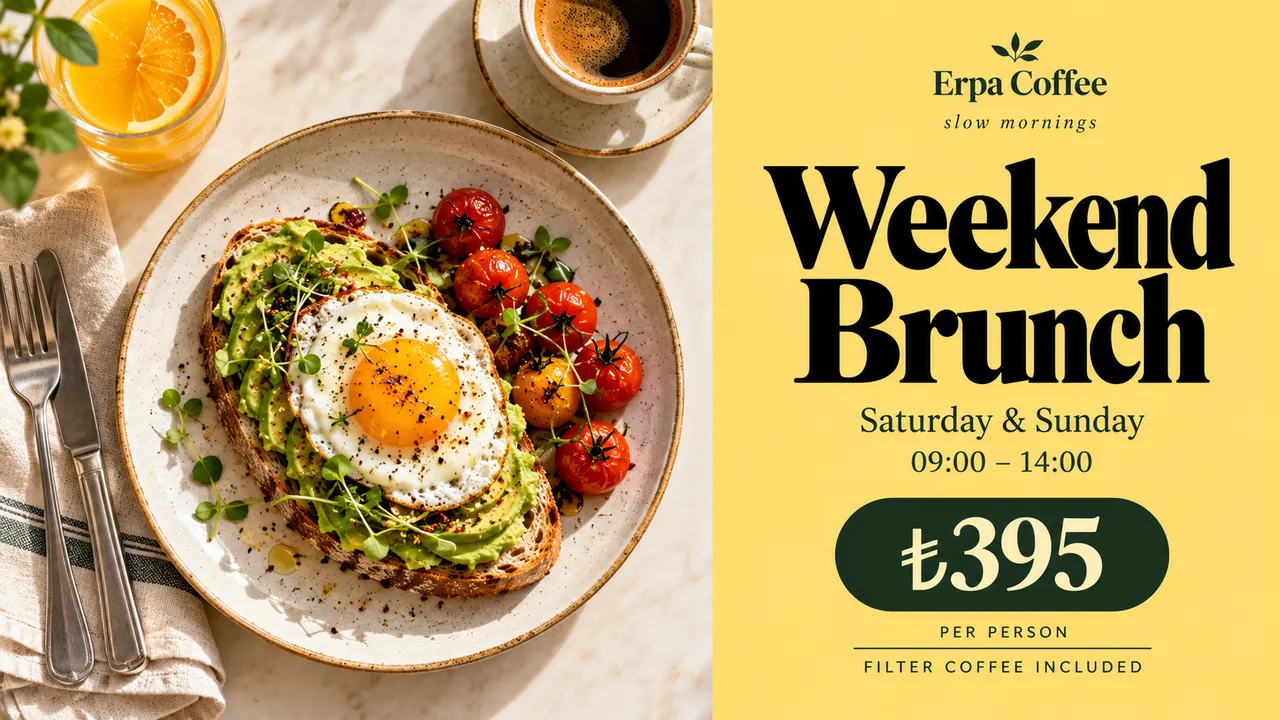
Breakfast at seven, lunch at noon, brunch on the weekend. Plan your digital menu boards once, and every screen in every branch switches over on its own.
Cafés and restaurants that run their screens with Jonza
A day at the counter
The same screens do a different job every few hours. You set it up once.
Breakfast board at 7:00
The morning menu is on screen before the first customer walks in. Nobody has to switch it on or change a slide.
Lunch from 11:30
Bowls, wraps and the soup of the day take over at the time you choose, and the breakfast prices disappear with them.
An item sells out
Take it off the board from your phone. The change shows on every screen within seconds, so nobody orders what you no longer have.
Weekend brunch
A brunch menu that only runs on Saturday and Sunday mornings, then hands the screen back to the regular menu.
A seasonal special
Put an autumn drink on a single date range, give it priority, and it ends on the day you set without anyone remembering to remove it.
The window and the queue
A portrait poster in the window, an offer by the till. Each screen plays its own playlist from the same account.
Changing a price, then and now
Printed boards and USB sticksWith Jonza
Printed boards and USB sticks:New prices mean reprinting every board
With Jonza:Edit the price once and every branch picks it up in seconds
Printed boards and USB sticks:Someone in each branch has to swap the file by hand
With Jonza:Breakfast, lunch and brunch switch over on a weekly calendar
Printed boards and USB sticks:Breakfast prices stay up well into lunch
With Jonza:Take a sold-out item off from your phone
Printed boards and USB sticks:Sold-out items stay on the board until the next print
With Jonza:See which screens are online and what they're playing
Every corner of the café
From the door to the kitchen, each screen has its own job.
The entrance
A welcome as people come in: the Wi-Fi name, today's opening hours and the QR menu.
Welcome messages
Wi-Fi
QR menu
The window
A portrait poster facing the street that draws in people walking past.
Daily specials
New drinks
Seasonal campaigns
Above the counter
The main menu board: landscape screens side by side, one category on each.
Menus
Prices
Meal deals
The queue
While people wait, they see what they could add to their order.
Desserts
Add-ons
Loyalty offers
The seating area
Something to look at over coffee: your story, your suppliers, what's coming up.
Brand story
Events
Social media
The kitchen
Notes for the team: the day's prep, hygiene reminders, the shift plan.
Staff notices
Recipes
Rotas
Plan breakfast, lunch and brunch on one calendar
Make one playlist for each part of the day and place them on a weekly calendar. Weekdays get one plan, weekends another, and a one-day campaign can sit on top without touching the rest.
Repeat on weekdays, weekends or a single date
When plans overlap, the higher priority wins
See what's playing now and what comes next
Build the board the way you want it
Lay out your menu photos, prices and a scrolling line of offers on a layered timeline. Use landscape boards above the counter and portrait screens by the door, and preview exactly how each one will look.
Text, image, clock and ticker widgets
Your online menu or any web page, live on screen
One playlist reused inside every branch's board
Planning screens for your café or restaurant?
Tell us how many branches and screens you have. We'll come back with a plan built around your menu.
Use a Tochi screen we send you with Jonza ready, or one you already have; our team can set it up remotely.
02
Pair it with a code
The screen shows a six-digit code. Type it into the dashboard and name it, say "Menu board – left".
03
Add your menus and a plan
Upload your photos, build a breakfast and a lunch playlist, and put them on the weekly calendar.
Questions cafés and restaurants ask
Can the menu change by itself at a set time?
Yes. Put your breakfast, lunch and evening playlists on the weekly calendar and each screen switches at the times you choose, every day, without anyone touching it.
We have several branches. Can each one show different prices?
Yes. Tag screens by branch and give each group its own playlist, or share one menu everywhere and change it in one place. Either way, it's one account.
Can we use the TVs we already have?
Often, yes. The Jonza player runs on Linux, Windows, Android, Google TV, Amazon Fire TV, LG webOS, Raspberry Pi and Samsung Tizen, and our team can connect to existing screens remotely and set them up. We can also ship Tochi screens, our own brand made in Türkiye, with Jonza already set up.
Can our staff update the board from a phone?
Yes. Jonza runs in the browser on a laptop, tablet or phone, and changes reach the screens within seconds. There's nothing to install.
How much does it cost?
It depends on how many screens and locations you run. Write to us with your setup and we'll put together a plan.
Can the screen show our online menu or website?
Yes. The web page widget shows any page live on screen, so your online menu can sit beside your own photos and prices.
What is a digital menu board?
A digital menu board is a screen that shows your menu in place of a printed board. Because it's managed online, prices, photos and the menu for each part of the day change from one place, and every branch shows the update within seconds.