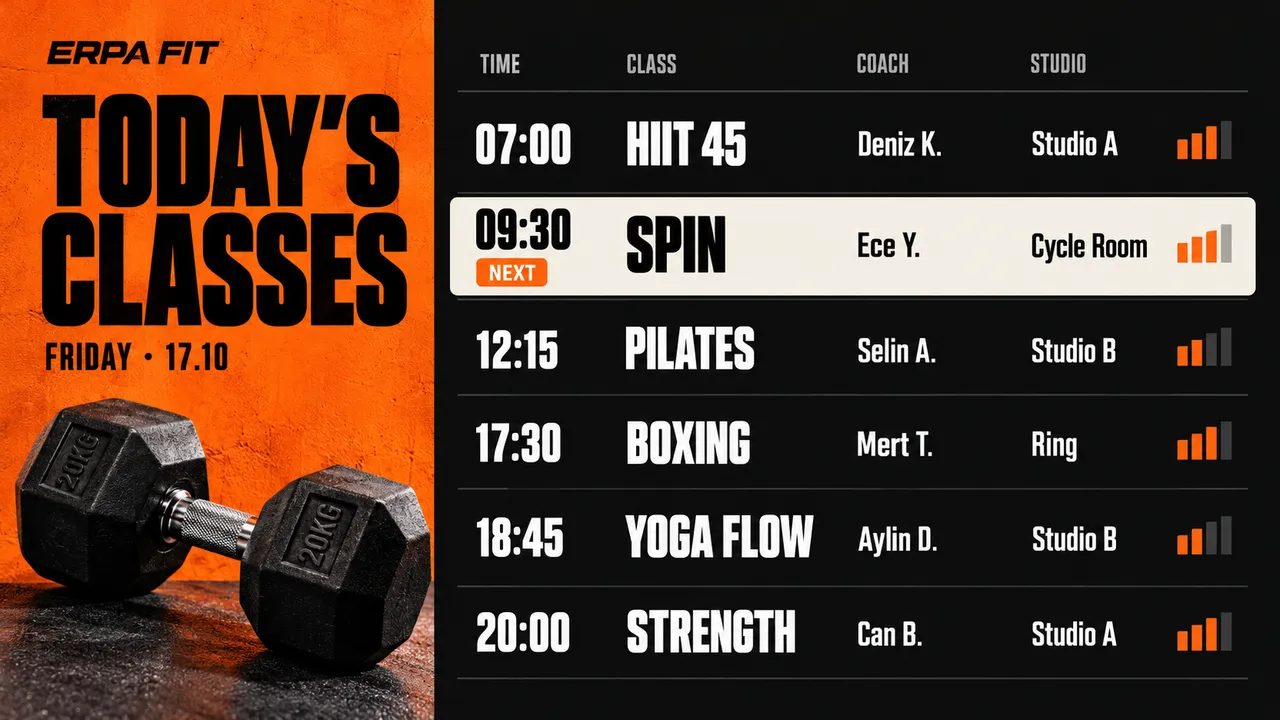
Every class, coach and studio on one screen. Make one for each day of the week and the calendar puts the right one up each morning.
What starts next
Mark the next class on the board so members heading in know where to go.
A last-minute change
A coach is off sick or a class moves studio. Edit it from your phone and every screen shows the change within seconds.
Offers between classes
A membership offer or a personal training slot plays between timetable slides, without replacing it.
Motivation between sets
Videos and short messages on the floor screens, with a clock that stays in the corner.
Keeping the timetable right
Printed sheets on the wallWith Jonza
Printed sheets on the wall:Timetables printed and pinned up every month
With Jonza:One timetable for each day, switched by the calendar
Printed sheets on the wall:Changes written on in marker, or not at all
With Jonza:Corrections reach every screen within seconds
Printed sheets on the wall:Offers on a separate poster nobody reads
With Jonza:Offers play in the same loop as the timetable
Around the club
Members pass the same screens on every visit; each one can tell them something different.
Reception
Today's timetable and the next class, as members arrive.
Timetable
Opening hours
Membership offers
The weights floor
Between sets: technique tips and a little motivation.
Exercise tips
Motivation
Challenges
The studio door
What's on in this studio now, and what comes next.
Class times
Instructors
Studio rules
The café or shake bar
Shakes and snacks, beside the bar that sells them.
Menu and prices
Supplements
Offers
The changing rooms
Club news and reminders, where members have a minute.
Club news
Hygiene reminders
Events
A different timetable every day, on its own
Build a playlist for each day's classes and place it on the weekly calendar. Weekends get their own plan, and a one-off event or a holiday timetable can sit on top for a single date.
Repeat on weekdays, weekends or a single date
When plans overlap, the higher priority wins
See what's playing now and what comes next
Mix the timetable with everything else
Drop the timetable, an offer and a training video into a filmstrip and drag them into order. Video lengths are detected for you, and the total updates as you go.
Let's plan your club's screens
Tell us how many clubs and screens you have, and we'll come back with a quote.
Turn each screen on and enter the six-digit code it shows. Name them "Reception", "Studio A" and so on.
02
Make the week
Design one timetable for each day, and add your offers and videos to the playlists.
03
Put it on the calendar
Place each day's playlist on the weekly calendar and the screens switch every morning by themselves.
Questions gyms and studios ask
Can the timetable change automatically every day?
Yes. Make a playlist for each day and put them on the weekly calendar. Each screen shows the right day's timetable without anyone touching it.
We have several clubs. Can each show its own classes?
Yes. Tag screens by club and give each group its own playlists and schedule, all from the same account.
Can we show offers without hiding the timetable for long?
Yes. Put the offer in the same playlist as the timetable and set how long each one stays on screen.
How do we get a price?
Pricing depends on how many screens and locations you run. Write to us and we'll put together a plan.
Can we play workout videos?
Yes. Upload your own videos and play them in the same playlist as the timetable and your offers.
What is digital signage for gyms?
Screens around a gym or studio that show the class timetable, changes to it, offers and motivation. Because it's managed online, the timetable updates on every screen as soon as it changes.